2.9 KiB
2.9 KiB
PocketFlow FastAPI Background Jobs with Real-time Progress
A web application demonstrating PocketFlow workflows running as FastAPI background jobs with real-time progress updates via Server-Sent Events (SSE).
Features
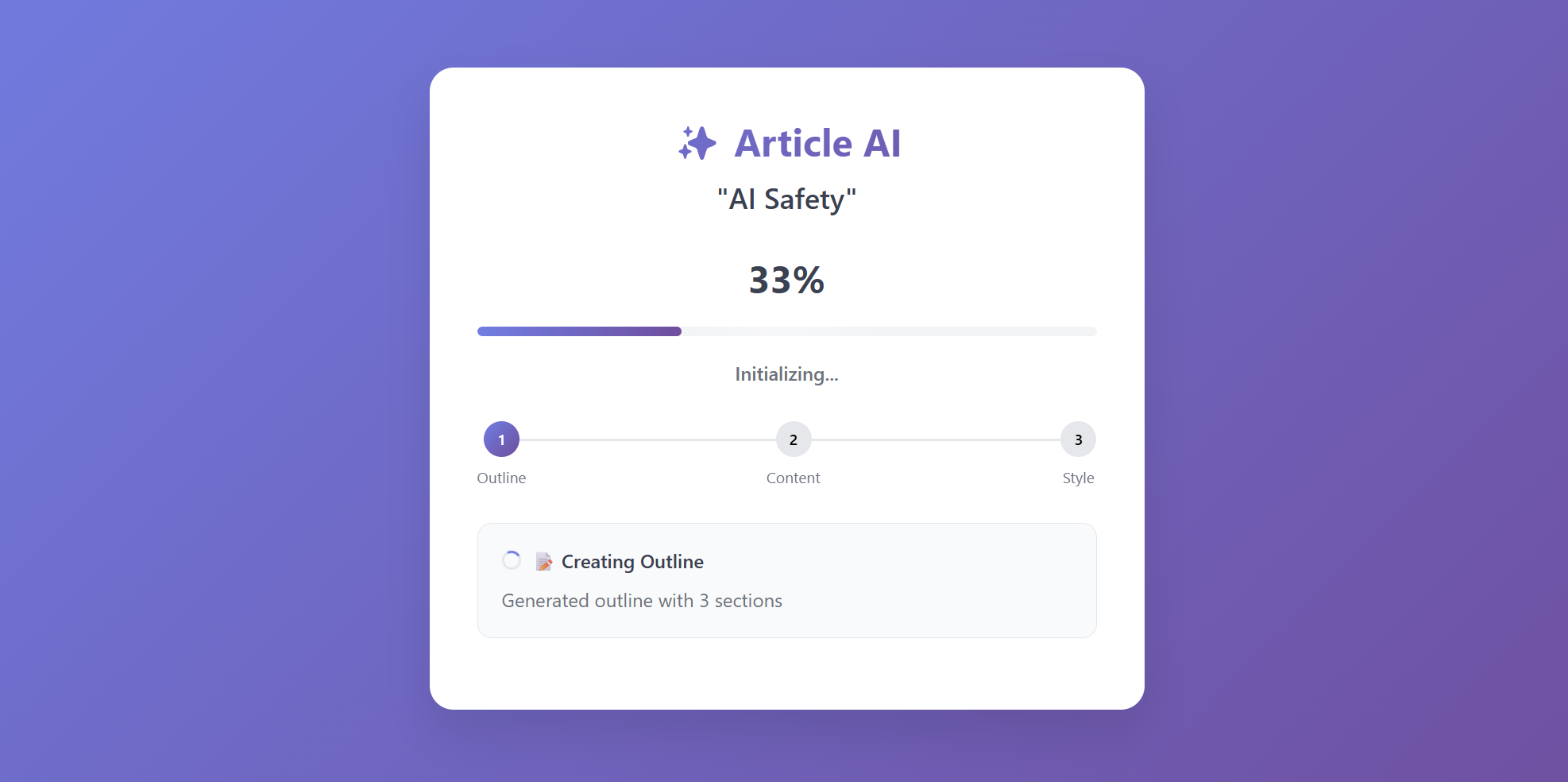
- Modern Web UI: Clean interface with real-time progress visualization
- Background Processing: Non-blocking article generation using FastAPI BackgroundTasks
- Server-Sent Events: Real-time progress streaming without polling
- Granular Progress: Section-by-section updates during content generation
- PocketFlow Integration: Three-node workflow (Outline → Content → Style)
How to Run
-
Install Dependencies:
pip install -r requirements.txt -
Set your OpenAI API key:
export OPENAI_API_KEY=your_api_key_here -
Run the FastAPI Server:
python main.py -
Access the Web UI: Open your browser and navigate to
http://localhost:8000. -
Use the Application:
- Enter an article topic or click suggested topics
- Click "Generate Article" to start background processing
- Watch real-time progress updates with step indicators
- Copy the final article when complete
How It Works
The application uses PocketFlow to define a three-step article generation workflow. FastAPI handles web requests and manages real-time SSE communication for progress updates.
PocketFlow Workflow:
flowchart LR
    A[Generate Outline] --> B[Write Content]
    B --> C[Apply Style]
GenerateOutline: Creates structured outline with up to 3 sectionsWriteContent(BatchNode): Writes content for each section individually, sending progress updatesApplyStyle: Polishes the article with conversational tone
FastAPI & SSE Integration:
- The
/start-jobendpoint creates a unique job, initializes an SSE queue, and schedules the workflow usingBackgroundTasks - Nodes send progress updates to the job-specific
sse_queueduring execution - The
/progress/{job_id}endpoint streams real-time updates to the client via Server-Sent Events - The web UI displays progress with animated bars, step indicators, and detailed status messages
Progress Updates:
- 33%: Outline generation complete
- 33-66%: Content writing (individual section updates)
- 66-100%: Style application
- 100%: Article ready
Files
main.py: FastAPI application with background jobs and SSE endpointsflow.py: PocketFlow workflow definition connecting the three nodesnodes.py: Workflow nodes (GenerateOutline, WriteContent BatchNode, ApplyStyle)utils/call_llm.py: OpenAI LLM utility functionstatic/index.html: Modern job submission form with topic suggestionsstatic/progress.html: Real-time progress monitoring with animations