3.9 KiB
PocketFlow Gradio HITL Example
A web-based application that demonstrates Human-in-the-Loop (HITL) workflow orchestration using PocketFlow and Gradio. This example provides an interactive interface for users to engage with AI-powered tasks while maintaining human oversight and feedback.
Features
- Web-based Interface: Built with Gradio for an accessible and user-friendly experience
- Human-in-the-Loop Integration: Seamless integration of human feedback into the AI workflow
- Modern UI: Clean and intuitive interface for better user interaction
- Powered by LLMs: Utilizes OpenAI's models for intelligent task processing
- Flow Visualization: Real-time visualization of node execution sequence and workflow progress
- Interactive Debugging: Monitor and understand the decision-making process through visual feedback
Getting Started
This project is part of the PocketFlow cookbook examples. It's assumed you have already cloned the PocketFlow repository and are in the cookbook/pocketflow-gradio-hitl directory.
-
Install required dependencies:
pip install -r requirements.txt -
Set up your OpenAI API key: The application uses OpenAI models for processing. You need to set your API key as an environment variable:
export OPENAI_API_KEY="your-openai-api-key-here" -
Run the Application:
python main.pyThis will start the Gradio web interface, typically accessible at
http://localhost:7860
How It Works
The system implements a PocketFlow workflow with a web interface:
flowchart TD
    DecideAction[Decide Action Node] --> |"check-weather"| CheckWeather[Check Weather Node]
    CheckWeather --> DecideAction
    DecideAction --> |"book-hotel"| BookHotel[Book Hotel Node]
    BookHotel --> DecideAction
    DecideAction --> |"follow-up"| FollowUp[Follow Up Node]
    DecideAction --> |"result-notification"| ResultNotification[Result Notification Node]
The workflow consists of the following nodes:
- Decide Action Node: The central decision-making node that determines the next action based on user input and context
- Check Weather Node: Provides weather information for specified cities and dates
- Book Hotel Node: Handles hotel reservation requests with check-in and check-out dates
- Follow Up Node: Manages user interactions by asking clarifying questions or handling out-of-scope requests
- Result Notification Node: Delivers action results and offers additional assistance
The flow is orchestrated through a series of directed connections:
- The Decide Action node can trigger weather checks, hotel bookings, follow-ups, or result notifications
- Weather checks and hotel bookings can feed back to the Decide Action node for further processing
- Follow-up and result notification nodes provide the final steps in the workflow
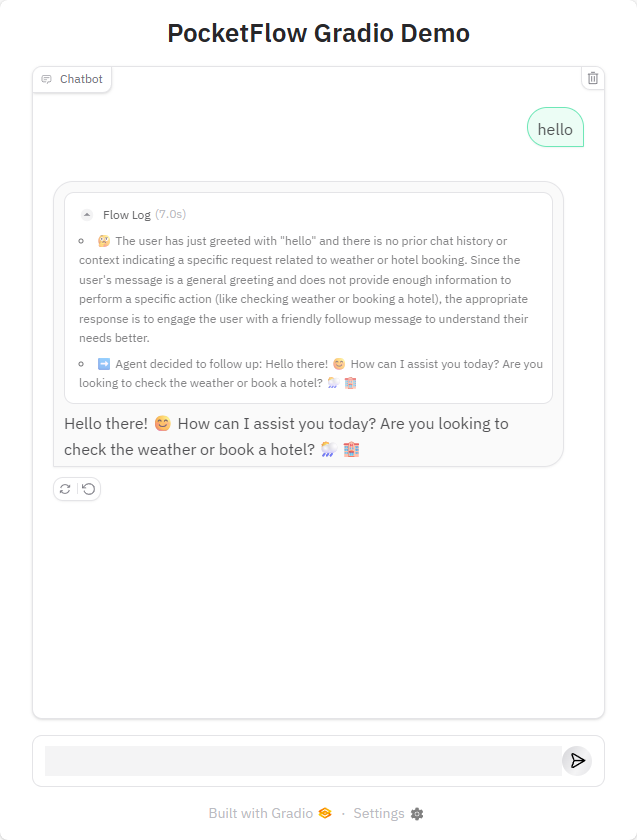
Flow Visualization
The application provides real-time visualization of the workflow execution:
- The sequence of node activations is displayed chronologically
- Users can see which decision paths are being taken
- The visualization helps in understanding the AI's decision-making process
Sample Output
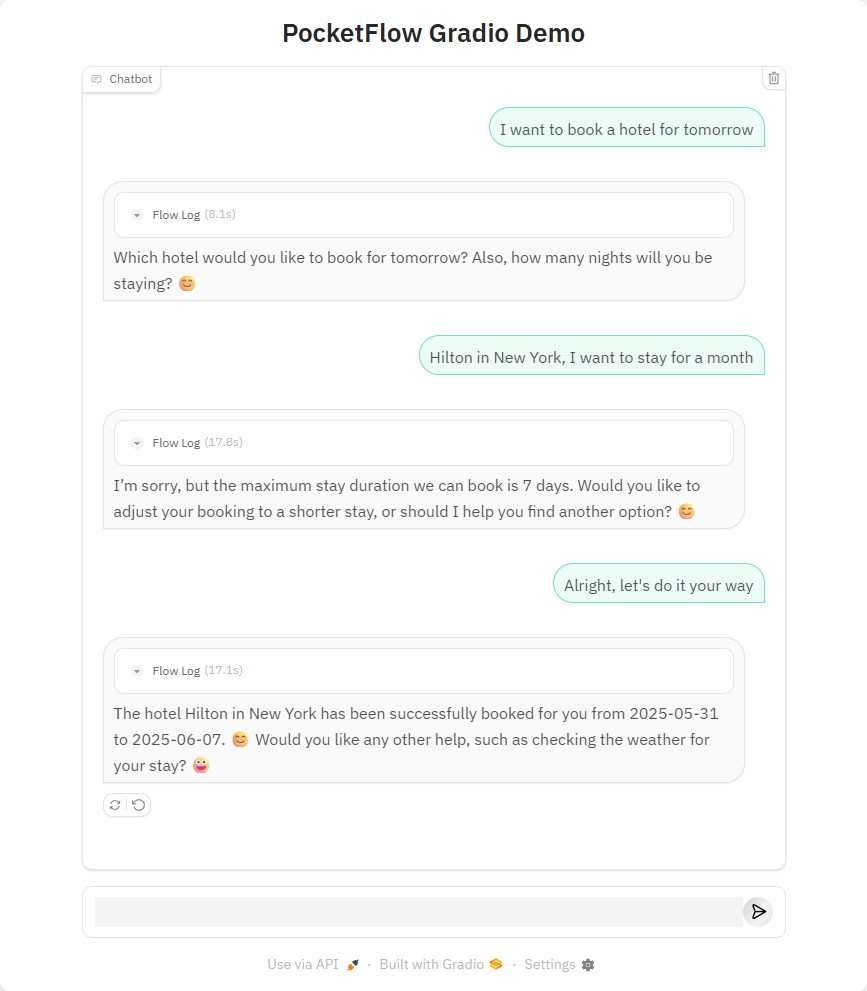
Here's an example of book hotel:
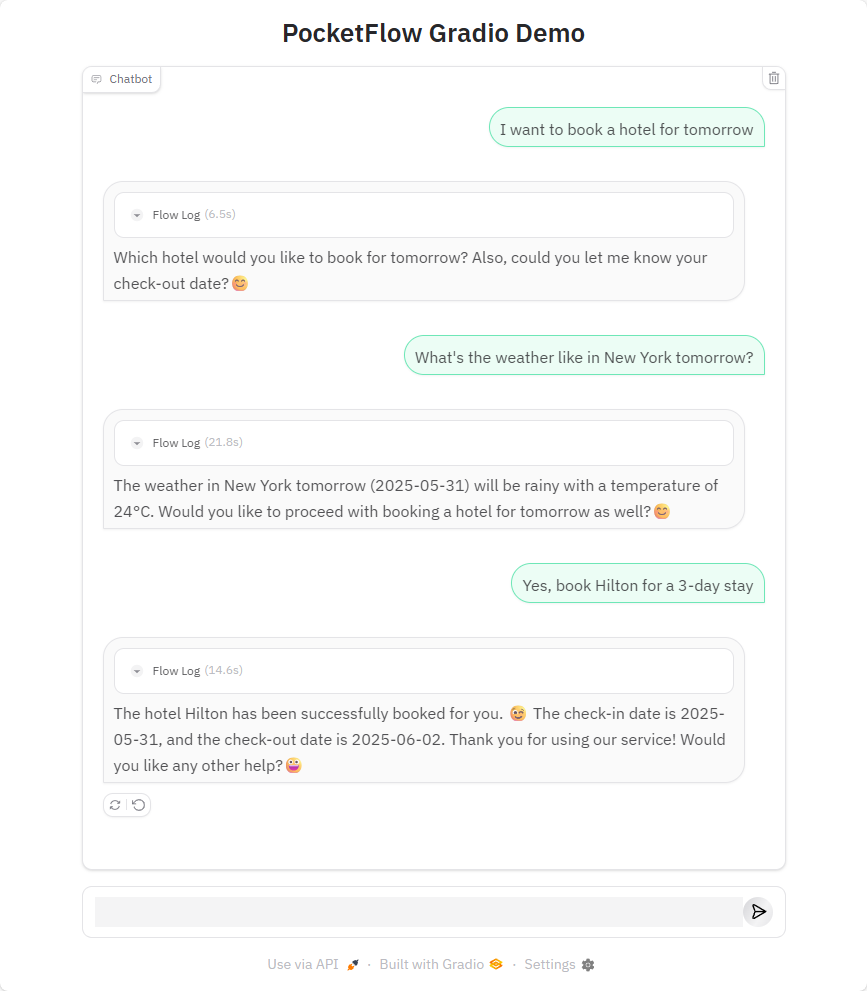
Here's an example of changing intention mid-conversation:
Files
main.py: Entry point for the application and Gradio interface setupflow.py: Defines the PocketFlow graph and node connectionsnodes.py: Contains the node definitions for the workflowutils/: Contains utility functions and helper modulesrequirements.txt: Lists project dependencies
Requirements
- Python 3.8+
- PocketFlow >= 0.0.2
- Gradio >= 5.29.1
- OpenAI >= 1.78.1